
FTP (File Transfer Protocol) is a commonly used protocol for transferring files between computers over a network. It is widely used in businesses, organizations, and individuals for transferring files to and from web servers, updating website content, and managing digital files. To use FTP, users need to have an FTP account, which allows them to access and transfer files to and from a remote server.
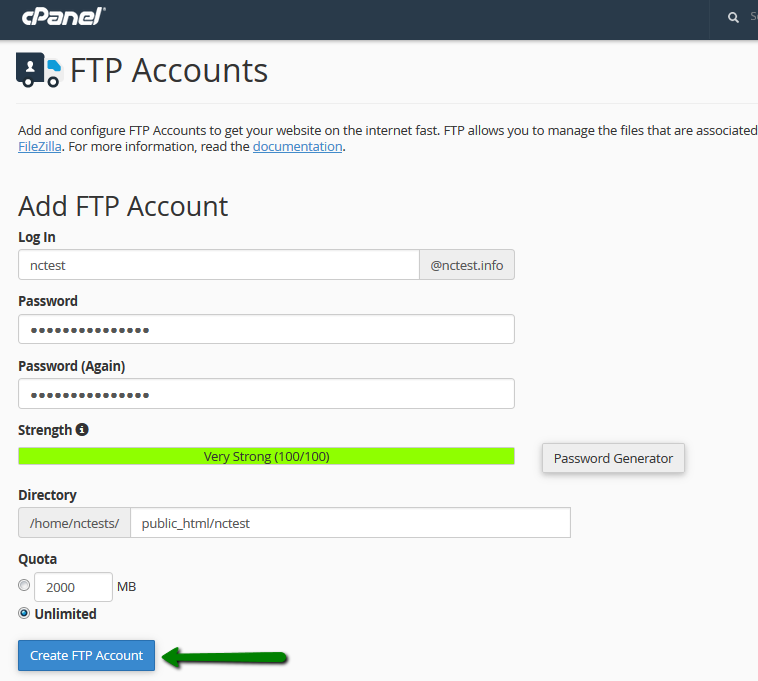
An FTP account is essentially a set of login credentials that grant users access to a remote server, and the ability to upload and download files to and from that server. Typically, FTP accounts are created by the server administrator, who sets the login credentials, access permissions, and other settings related to the account. Once the FTP account is created, users can access it using an FTP client software, such as FileZilla, Cyberduck, or WinSCP.

When creating an FTP account, several settings need to be configured. These include the login name, which is the username that users need to enter to access the account, and the password, which is the secret key that grants access to the account. The password should be complex and difficult to guess to prevent unauthorized access to the account. Other settings that can be configured include the home directory, which is the default directory that the user is taken to upon login, and the access permissions, which determine what files and directories the user can access and modify.
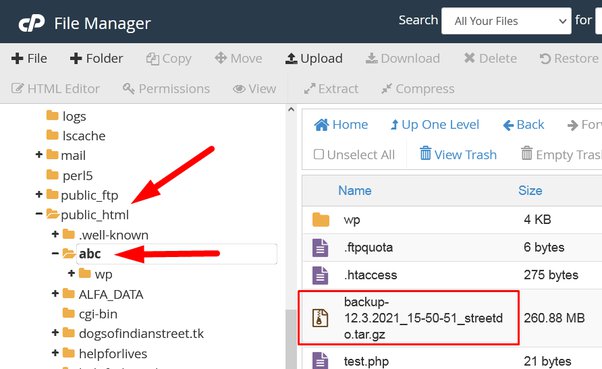
FTP accounts can be used for various purposes, such as uploading files to a website, downloading files from a remote server, and transferring files between computers. For example, website administrators can use FTP accounts to upload website content, such as HTML pages, images, and multimedia files, to a web server.


Leave a Reply