
An email has become an essential communication tool in the digital age, and email accounts are the gateway to accessing this communication channel. An email account is a digital mailbox that allows users to send, receive, and store electronic messages, documents, and files. In this article, we will explore what email accounts are, how to create them, and some of the best email service providers available.
What is an Email Account?
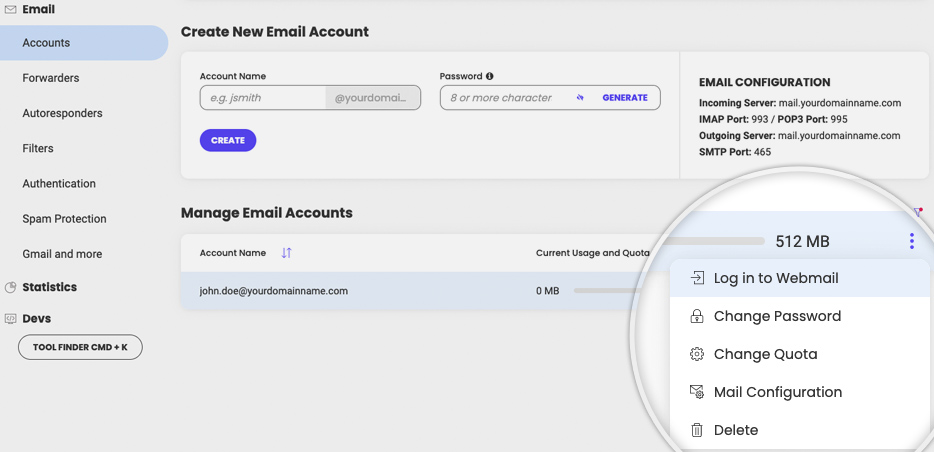
An email account is a digital identity that is created to access email services. It consists of a unique username and password that is used to log in to the email service provider’s website or email client software. Once logged in, users can send, receive, and manage emails, as well as access additional features such as calendars, contacts, and storage.
How to Create an Email Account?
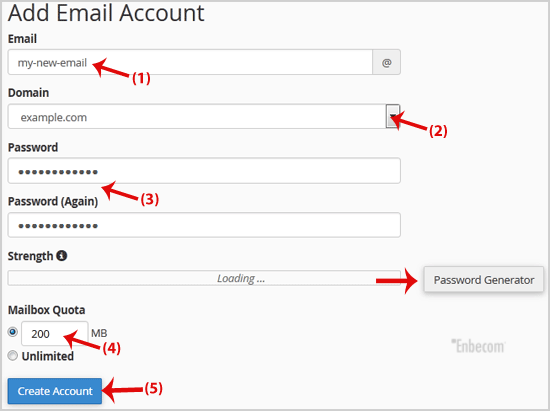
Creating an email account is a straightforward process that typically involves the following steps:
- Choose an email service provider: There are several email service providers available, including Gmail, Outlook, Yahoo, and ProtonMail, among others.
- Click on the sign-up or create an account button: This will take you to a registration page where you will be asked to provide personal information such as your name, date of birth, and contact information.
- Choose a username and password: Your username is the name that will appear in your email address, while your password will be used to log in to your email account. Make sure to choose a strong password that is difficult to guess and contains a mix of uppercase and lowercase letters, numbers, and symbols.
- Verify your email address: Once you have provided all the necessary information, you will be sent an email to verify your email address. Click on the link in the email to confirm your account.
- Customize your email settings: You can customize your email settings by adding a profile picture, creating a signature, and setting up filters and labels to organize your inbox.
Best Email Service Providers
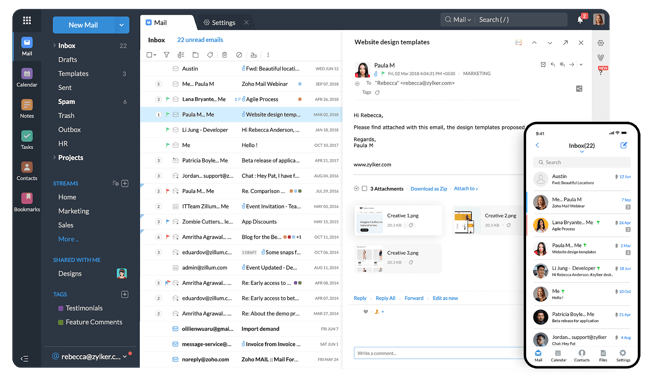
There are many email service providers available, each with its own unique features and benefits. Some of the best email service providers include:
- Gmail: Gmail is one of the most popular email service providers, offering users a wide range of features such as powerful spam filters, customizable themes, and integrated chat and video calling.
- Outlook: Outlook is a popular email service provider that is widely used in the business world. It offers features such as a built-in calendar, task manager, and contact list, making it a one-stop shop for all your email needs.
- Yahoo: Yahoo is another popular email service provider that offers users free email accounts with up to 1 TB of storage space, as well as a range of features such as customizable themes and built-in chat.
- ProtonMail: ProtonMail is a secure email service provider that offers end-to-end encryption, ensuring that your emails and data are kept private and secure.
Conclusion
Email accounts are an essential tool for communication in the digital age, and there are many email service providers available to choose from. By following the steps outlined in this article, you can easily create an email account and customize it to meet your specific needs. Whether you choose Gmail, Outlook, Yahoo, or ProtonMail, having an email account is a must-have for staying connected with family, friends, and colleagues, and managing your digital communication.


Leave a Reply